
How to Diagnose Internal Links That Confuse Content Hierarchy
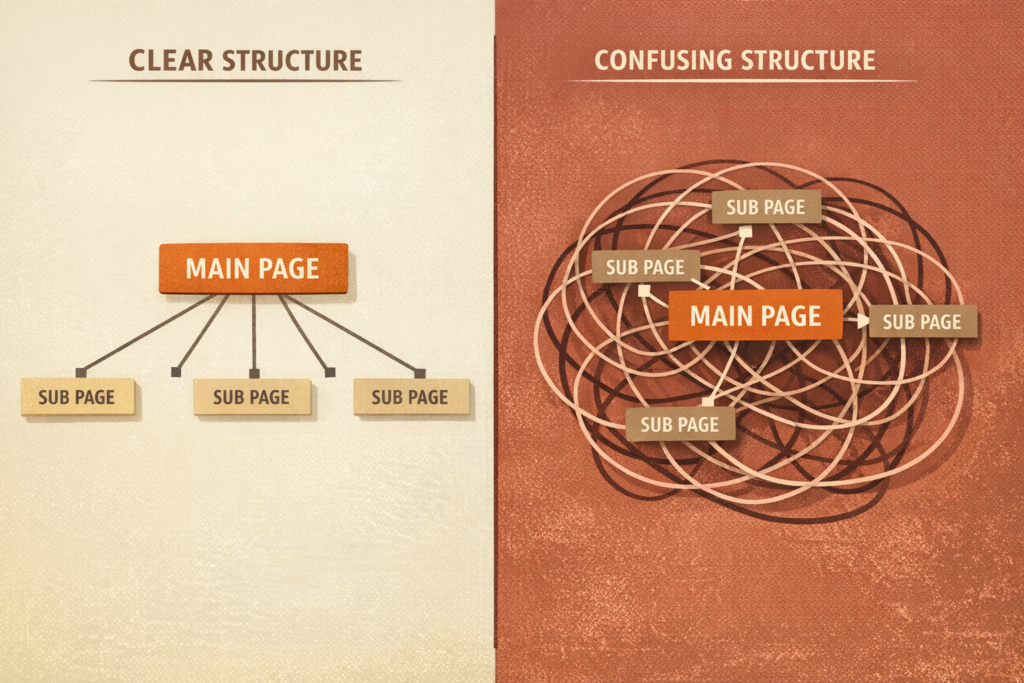
Search engines don’t experience your website the way a visitor does. They don’t see a polished navigation menu or an intuitive breadcrumb trail; they follow links between pages. Google says it uses links as a signal when determining the relevancy of pages and to find new pages to crawl, and recommends that every page you care about be linked from at least one other page on your site (Google Search Central: make links crawlable). Google doesn’t publish exactly how internal links factor into how it weighs one page against another, so treat this as an audit hypothesis rather than a known mechanism: when your internal links are inconsistent with your actual priorities, a minor blog post may receive more internal emphasis than your flagship service page, or a cluster of related articles may not be connected as clearly as you intended.
This isn’t about following a rigid rulebook. It’s a diagnostic question: does your internal linking structure actually communicate the hierarchy you intend, or has it drifted into something that looks arbitrary from a crawler’s perspective? Below is a framework for finding out, and for fixing what you find.
Signs That Your Internal Links Are Failing to Signal Content Priority
Before auditing tools and link graphs, it helps to know what you’re looking for. A few patterns tend to show up when internal linking has stopped reflecting content hierarchy:
- Your most important pages are hard to reach. If a core service or product page requires several clicks from the homepage, with no strong internal linking path pointing to it from elsewhere on the site, that’s worth flagging for review. How many clicks counts as “too many” depends on your site’s size and typical category depth, not a fixed number.
- Low-value pages accumulate a disproportionate number of internal links. A single old blog post or a legacy landing page sometimes ends up more heavily linked than the page you actually want to rank, simply because it was published early and picked up links from years of ad hoc editing.
- Pages that should be grouped together aren’t linked to each other. If a set of articles or product pages clearly belongs to the same topic cluster but doesn’t cross-reference within it, that’s one less direct signal connecting them for both users and search engines.
- Search Console shows indexing inconsistency for related pages. If some pages in a topic group are indexed and ranking while closely related pages aren’t appearing at all, weak internal linking is one plausible contributing factor: not the only one, but worth ruling in or out.
None of these signs alone proves internal linking is the root cause of a ranking or visibility problem. Taken together, they’re a reasonable basis for investigating your linking structure specifically, but they don’t rule out other explanations, like content quality, canonicalization, rendering, or indexing issues, which can produce similar symptoms independently.
The Role of Anchor Text in Clarifying Page Relationships
Anchor text, the clickable words in a link, is one of the clearer signals you control directly. Descriptive, topically relevant anchor text tells both users and search engines what a linked page is about. Google’s guidance on crawlable links recommends exactly this, though it doesn’t document a specific mechanism by which varying the anchor phrase used for the same destination dilutes a search engine’s understanding of that page (Google Search Central: make links crawlable).
The clearest problem is generic anchor text, such as “click here,” “learn more,” or “read this article.” Surrounding sentence context can still give search engines some clues about the destination, but the anchor itself adds little, so descriptive anchors remain the better habit. A secondary, more debatable pattern is inconsistent anchor text, where the same page is linked to with several unrelated phrases across the site; treat this as a best-practice inconsistency worth cleaning up, not a confirmed technical penalty.
The fix isn’t stuffing exact-match keywords into every link. It’s asking, for each internal link: if a search engine only had this anchor text to go on, would it understand what the destination covers and why it’s relevant here? If not, that’s a missed opportunity to reinforce hierarchy.
Tools for Mapping Your Site’s Link Graph Without Guesswork
You don’t need to manually click through a site to understand its link structure, and for anything beyond a handful of pages, manual review isn’t reliable anyway.
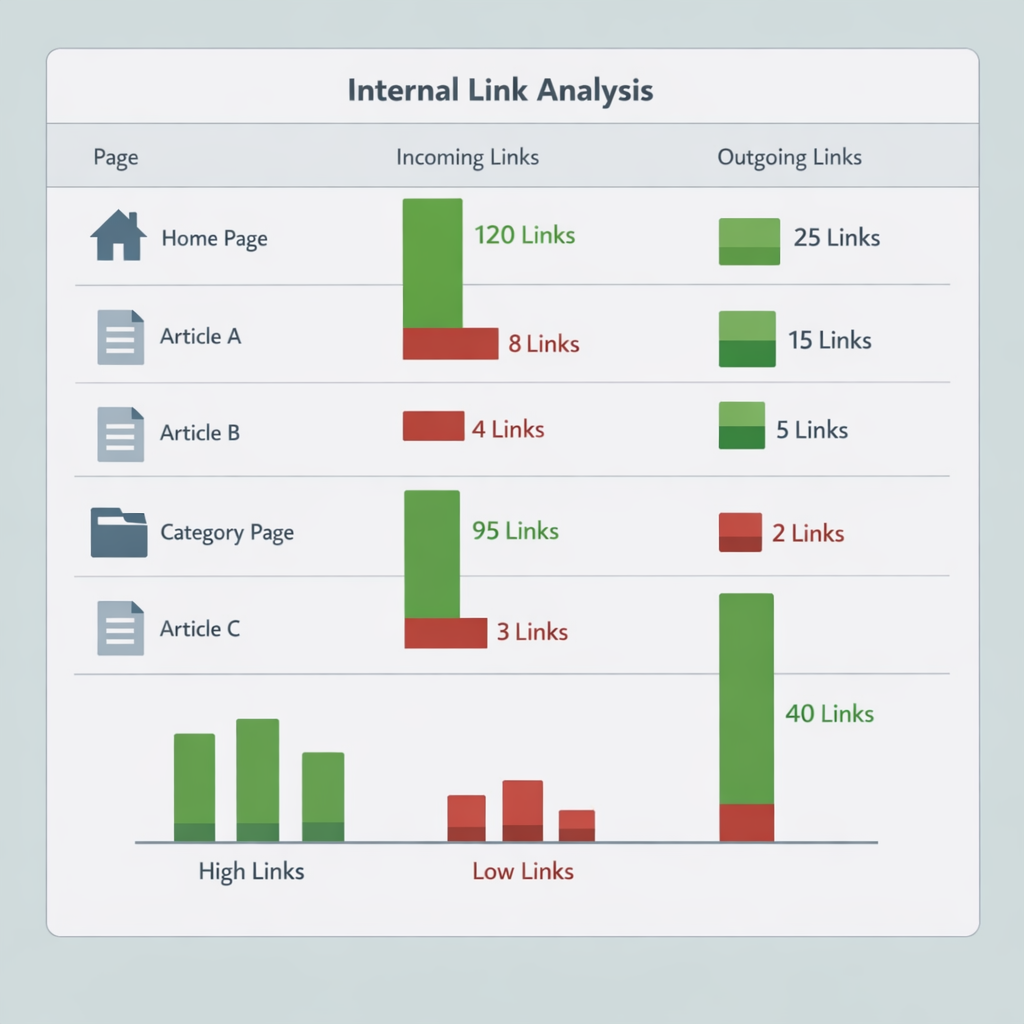
- Crawl the site with an SEO crawler (such as Screaming Frog or Sitebulb) and export the internal link count per URL as a rough proxy for how much “importance” your structure assigns to each page.
- Treat Search Console’s Links report as a secondary reference, not a ground truth. It groups links by canonical URL, doesn’t claim to show every internal link Google has seen, and can reflect links crawled some time ago rather than what’s live today (Search Console Help: Links report). Normalize URLs to canonical form and separate template-level links (navigation, footer) from in-content links before comparing it to a crawler export, or discrepancies will reflect data hygiene rather than structure.
- Look for orphaned pages: indexed pages that receive zero internal links from anywhere else on the site. A crawl combined with your XML sitemap or CMS page list surfaces these; a crawler alone can’t find a page nothing links to.
- Visualize the link graph, even informally with a spreadsheet, grouping pages by internal link count. Pages with unusually high or low counts relative to their intended importance are your priority list.
The goal is to move from “I think our structure is fine” to “here is the actual data on how our pages connect.” Everything downstream depends on that baseline.
Common Pitfalls in Creating a Logical Content Hierarchy
A handful of structural habits tend to erode hierarchy signals over time, often without anyone deciding to introduce them:
- Circular linking without a clear parent-child relationship. If page A links to B, B links to C, and C links back to A, with no page acting as a clear category hub, the linking pattern itself doesn’t make clear which page you intend as primary. Treat this as an audit heuristic rather than a documented ranking rule: it’s worth flagging, but search engines can draw on other signals, like content depth or external links, to interpret the pages independently.
- Inconsistent linking depth for similar content types. If some categories link consistently from a hub page and others rely on tags or search to be discoverable, you’ve created two different hierarchy models for content that should be treated the same way.
- New content published without links from existing relevant pages. A new article goes live, but no existing page on the topic is updated to link to it, leaving it dependent on the sitemap and internal search for discovery.
- Navigation and internal linking working against each other. If your navigation emphasizes one set of categories but in-content links consistently point elsewhere, you’re sending two different hierarchy signals.
None of these require a rebuild. They require an editorial habit: every time content is published, someone asks which existing pages should link to it and which it should link to.
A Step-by-Step Workflow for Auditing Your Internal Link Hierarchy
Putting the signs and tools above into a repeatable process turns this from a one-off investigation into something you can run consistently:
- Establish your intended priority order. Before pulling data, list which pages you want treated as most important, by business value not by how the site currently happens to be structured.
- Combine a full crawl with your sitemap and CMS inventory. A crawler only finds pages something links to; comparing it against your sitemap or CMS export catches orphaned pages a crawl alone would miss.
- Normalize URLs across every data source, resolving to canonical form and stripping tracking parameters, so discrepancies reflect actual structure rather than data hygiene.
- Compare unique linking pages and click depth per URL, not just raw counts. A page linked only from a sitewide template looks well-linked but isn’t reinforced the way one linked from several distinct, relevant pages is.
- Inspect link placement and anchor context for your priority pages: in-content and descriptive, or buried in a footer with generic text?
- Check Google-observed evidence where available, such as Search Console’s Links and Page Indexing reports, as a secondary signal, keeping their sampling and historical limitations in mind.
- Prioritize corrections by page importance, starting with the biggest gaps between intended priority and what the data shows.
- Recrawl after changes to confirm they took effect, and log the audit date as a baseline for next time.
This won’t diagnose every visibility problem, since content quality, canonicalization, and indexing issues can produce similar symptoms, but it gives a repeatable answer to whether linking structure specifically is part of the picture.
When Deep Nesting Becomes a Hierarchy Risk
Click depth (how many clicks it takes to reach a page from the homepage) is one input into the audit, not a fixed threshold. A page reached in three, four, or five clicks isn’t automatically a problem; what matters is whether that depth matches the page’s intended priority, and whether it’s reinforced by direct links from relevant, higher-level pages rather than relying solely on a long chain of category pages. Crawl budget is mainly a concern for sites at substantial scale and/or with very frequently changing content; Google’s crawl budget guide is aimed at sites with roughly a million or more unique pages that change about weekly, or tens of thousands of pages that change daily, and says sites without a large number of rapidly changing pages don’t need it (Google Search Central: crawl budget management for large sites). For most business sites, crawl budget is unlikely to be the limiting factor.
A more practical pattern to check for is whether deeply nested pages also receive fewer direct internal links. This isn’t a documented rule, but it’s a common audit finding: each additional layer can reduce the number of pages that naturally have reason to link to a page directly, so verify it against your own crawl data rather than assuming it. A page buried under several subcategory layers depends on that narrow chain of links rather than being reinforced from multiple relevant places, and that dependency is worth checking regardless of the exact click count.
This doesn’t mean flattening your entire architecture. It means checking whether your most important pages sit at a click depth matching their intended priority, and adding direct internal links from higher-authority pages where they don’t, rather than relying on folder structure alone.
Grouping Related Content Through Deliberate Linking
Once the audit surfaces gaps (orphaned pages, weak anchor text, mismatched depth), the fix is less about adding links everywhere and more about being deliberate with fewer, high-value connections:
- Establish a clear hub page for each major topic cluster, with every related article linking back to it and it linking out to them. This is a common editorial convention for indicating which page you intend as primary for a topic, not a guaranteed signal; search engines may still draw on other signals when interpreting how pages relate.
- Update older content when you publish something new and related, rather than only linking forward from the new page. This gives both pages more direct links from relevant places.
- Favor contextual, in-content links over footer or sidebar links where practical. Links in relevant body copy carry surrounding topical context that template links, which appear identically on every page, don’t. Treat this as reasonable editorial practice, not a guaranteed technical lever.
- Periodically re-run the audit, since hierarchy drift is gradual and a structure that made sense a year ago may no longer reflect current priorities.
Internal linking is closer to ongoing editorial maintenance than a one-time setup task. A repeatable audit process, rather than a single cleanup project, is what keeps the signal you send search engines aligned with the hierarchy you intend.
If you suspect your internal linking structure is muddying your content hierarchy, request a structural audit from Vast SEO to get a clear, data-backed evaluation of the crawlable internal-link signals across your site.